Constituent & Provider Portals
On this page
CRAIG’s design includes three self-service portals, each built entirely on the same public REST APIs used by the caseworker UI. No portal will have privileged backend access: everything families, foster parents, and providers see is mediated through the same authentication and authorization layer as caseworkers.
|
None of the three portals is built yet. They are the Phase 11 build-out (epic &50, tracked by #634); this page is the design reference, and the sections below describe the designed behavior of each portal. |
Portals:
-
Family Portal: for parents and families with an open case
-
Foster Parent Portal: for licensed foster parents and kinship caregivers
-
Provider Portal: for contracted child welfare contributing agencies (CWCAs)
Family Portal
The family portal will allow parents and families involved in an open case to see their upcoming events, case plan tasks assigned to them, case worker contact information, and to upload documents. Access is scoped strictly to the family’s own case; no other case information is accessible.
Screen 1: Family Dashboard
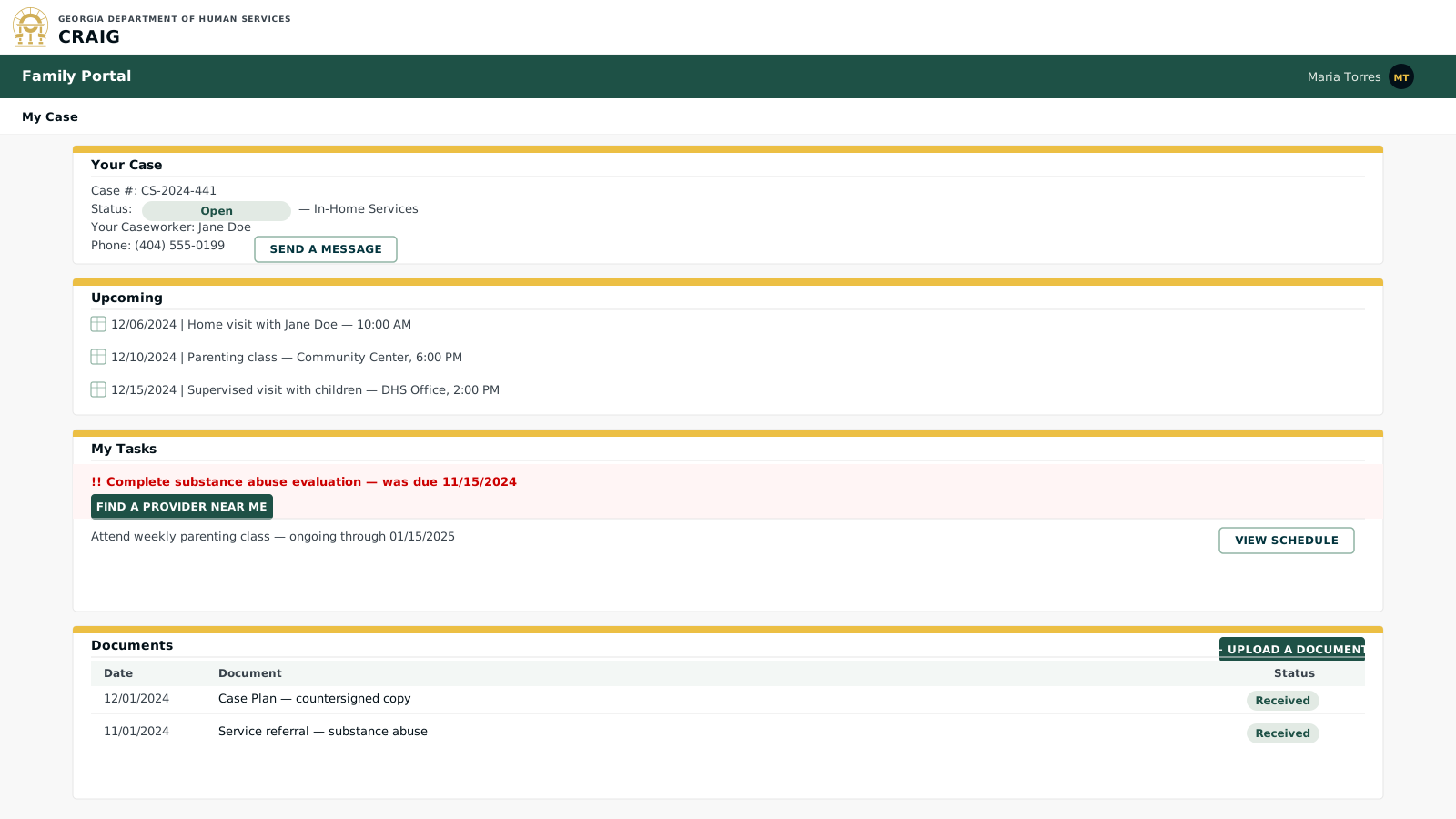
Key elements:
-
Tasks scoped to family: only tasks where the case plan marks "Responsible = Parent/Family" are shown; agency tasks are not displayed to the family.
-
Caseworker contact: the caseworker’s name and phone number are always visible; the message feature sends a secure in-system message rather than exposing a personal email or cell number.
-
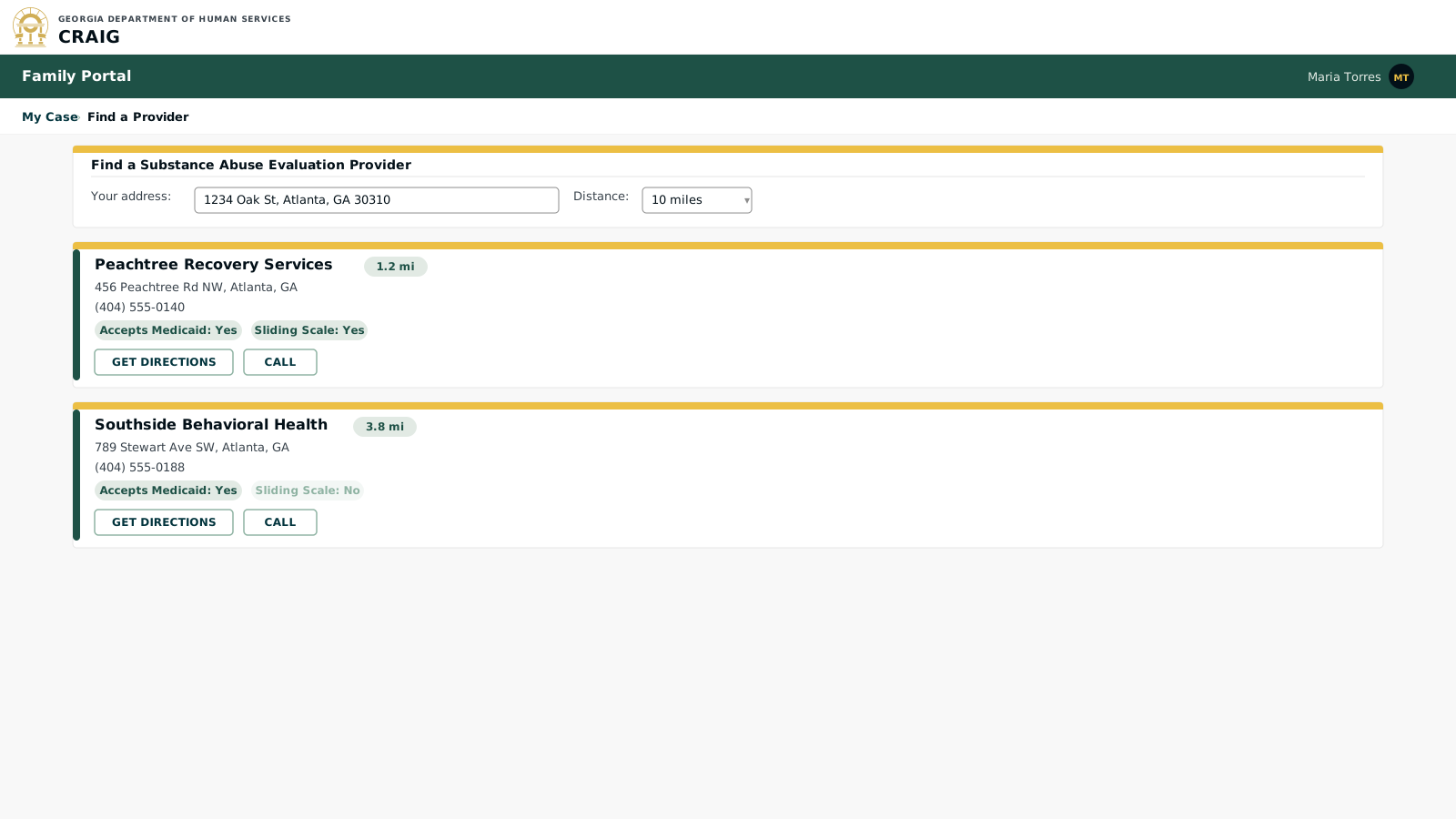
Provider finder: for tasks that require finding a service (substance abuse evaluation, parenting class, etc.), the portal links to a provider directory filtered by the family’s location and the service type.
-
Document upload: families can submit documents (identification, proof of employment, completed evaluations) directly; uploaded files are immediately visible to the caseworker and linked to the case record.
-
No case history: families see only the current case plan and upcoming events; full case history, investigation records, and other children in the system are not accessible.
Foster Parent Portal
The foster parent portal will give licensed caregivers access to information about the children placed with them, their payment history, upcoming licensing requirements, and training needs. Access is scoped to children currently placed in their home.
Screen 1: Foster Parent Dashboard
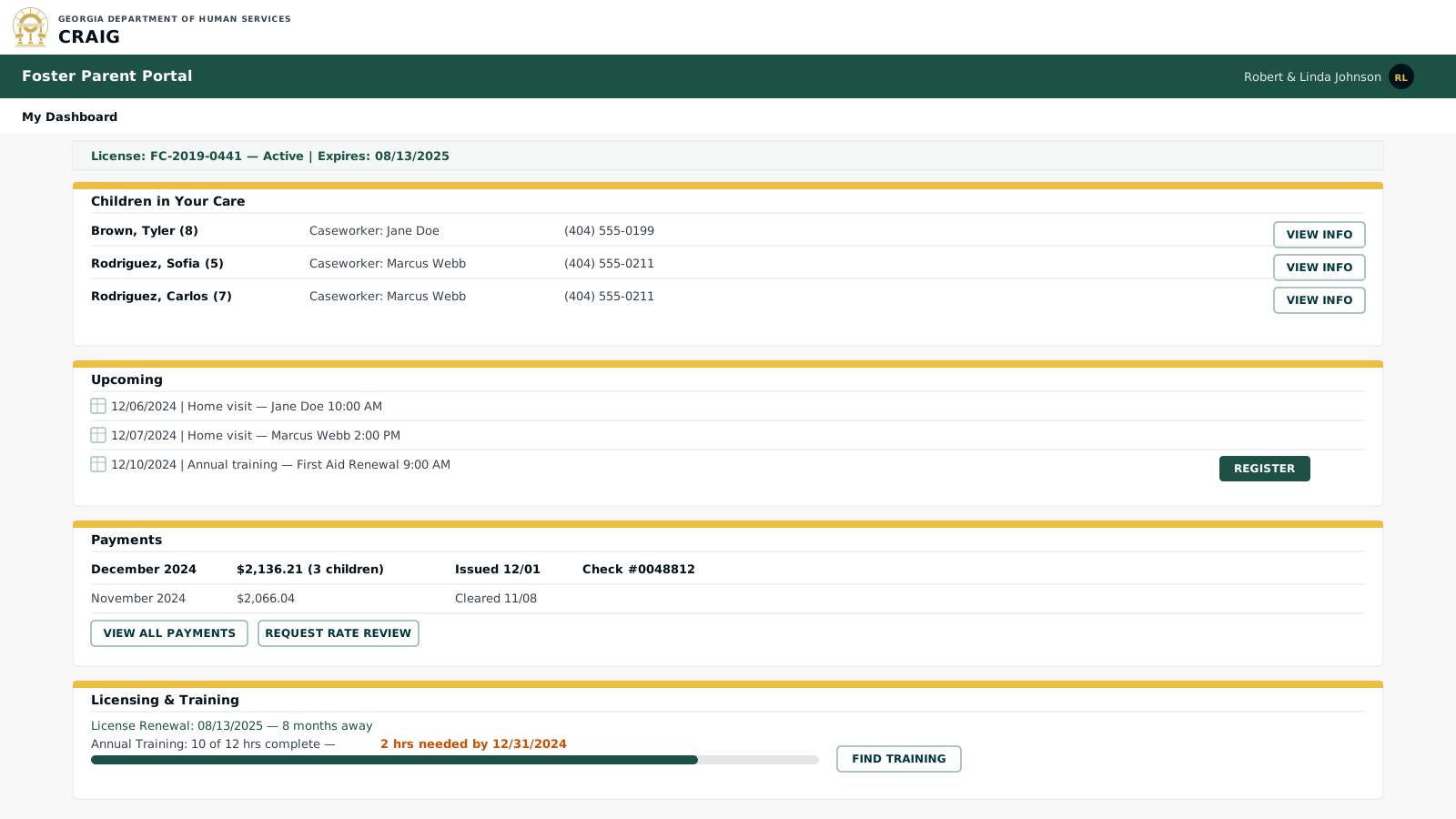
Key elements:
-
Per-child caseworker contact: when children in the home have different caseworkers (e.g., siblings from different cases), each child shows their own worker’s contact information.
-
Consolidated payment view: the total monthly payment across all children in the home is shown first; foster parents can drill into the detail to see the per-child breakdown.
-
Training alerts: the foster parent sees the same training deadline data the licensing worker sees; this transparency reduces license lapses caused by missed communication.
-
Child info scope: clicking "View Info" for a child shows only the information the foster parent needs: medical appointments, school enrollment, visitation schedule, and emergency contacts; case plan details and investigation history are not visible.
Provider Portal
The provider portal will serve contracted child welfare contributing agencies (CWCAs). Providers will see only the cases assigned to them, submit service records, and receive data from CRAIG for the children they serve.
Screen 1: Provider Dashboard
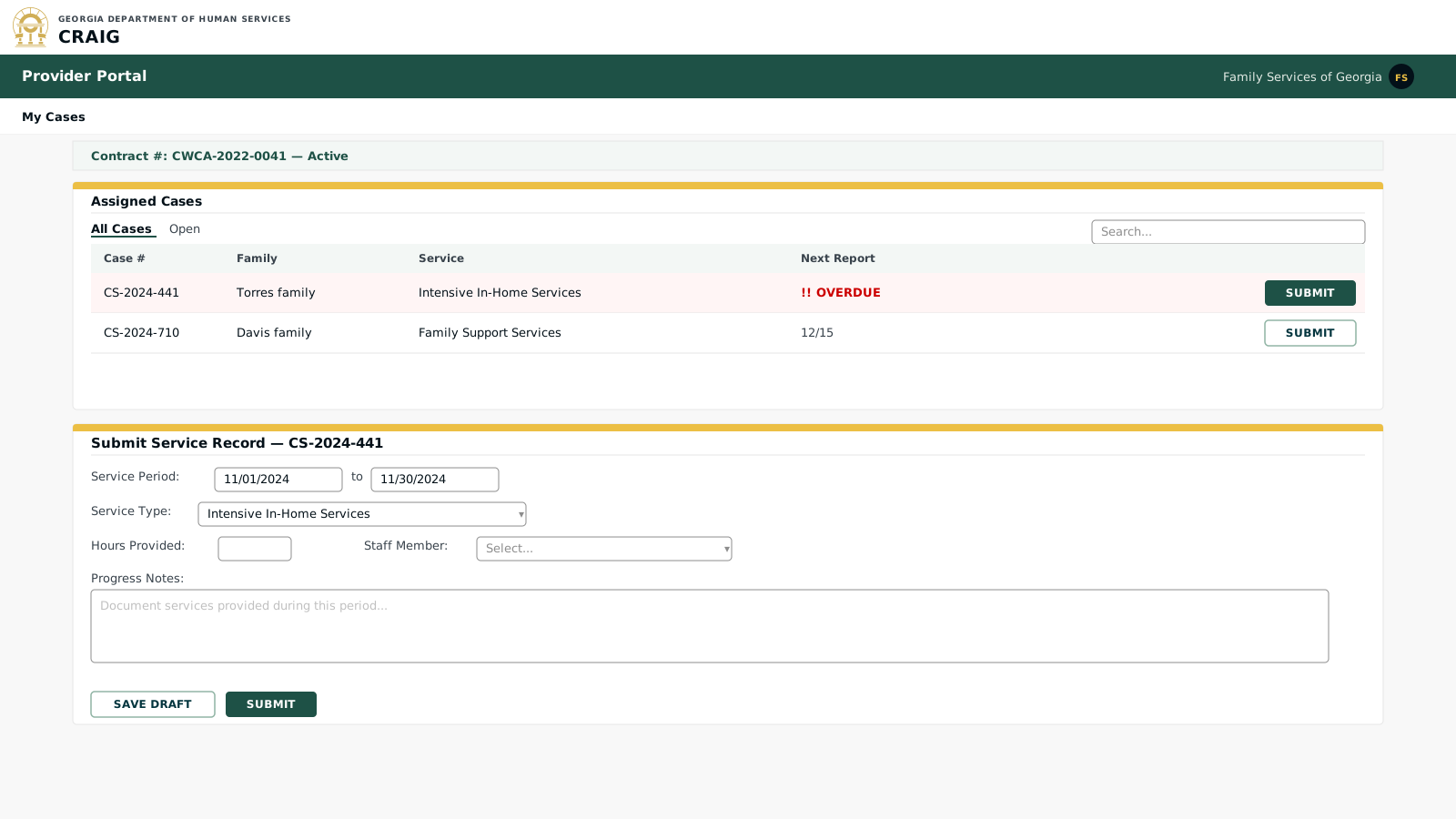
Key elements:
-
Case access scoped to contract: providers see only cases where they have an active service referral; they cannot browse or search the full case database.
-
Service record submission: submitted records feed directly into the case record in the caseworker UI; the caseworker sees the provider’s progress notes without manual data re-entry, satisfying the 45 CFR § 1355.52 requirement to prevent duplicate data entry.
-
Overdue report alerts: the Rules Engine (GoRules / Zen Engine) monitors service record submission deadlines from the contract and flags overdue reports the same way it flags overdue tasks for caseworkers.
-
Data exchange: for CWCAs designated as formal data exchange partners under the Comprehensive Child Welfare Information System (CCWIS) rule at 45 CFR § 1355.52(e), the provider portal also supports structured data exchange (standardized formats, automated validation) in addition to narrative service records.