Payments & Financial
On this page
|
Target-state design page (#1080): the screens below are the design
engagement’s target mockups, not the as-built system. Known deltas today:
foster-care per-diem payments are event-driven single-period rows (no
recurring monthly cycle and no age-bracket auto-update — a bracket change
applies to newly generated rows only); the live status vocabulary is
|
The Payments module manages all financial activity related to Title IV-B and IV-E programs of the Social Security Act — foster care maintenance payments, adoption assistance, guardianship assistance, and federal cost allocation tracking. Payment amounts are calculated from the eligibility determination and the jurisdiction’s rate table; no manual rate entry is required.
Primary users: Eligibility Workers, Supervisors, Administrators (the built financial navigation gate; caseworkers hold assigned-scope payment list access)
Screen 1: Foster Care Payments List
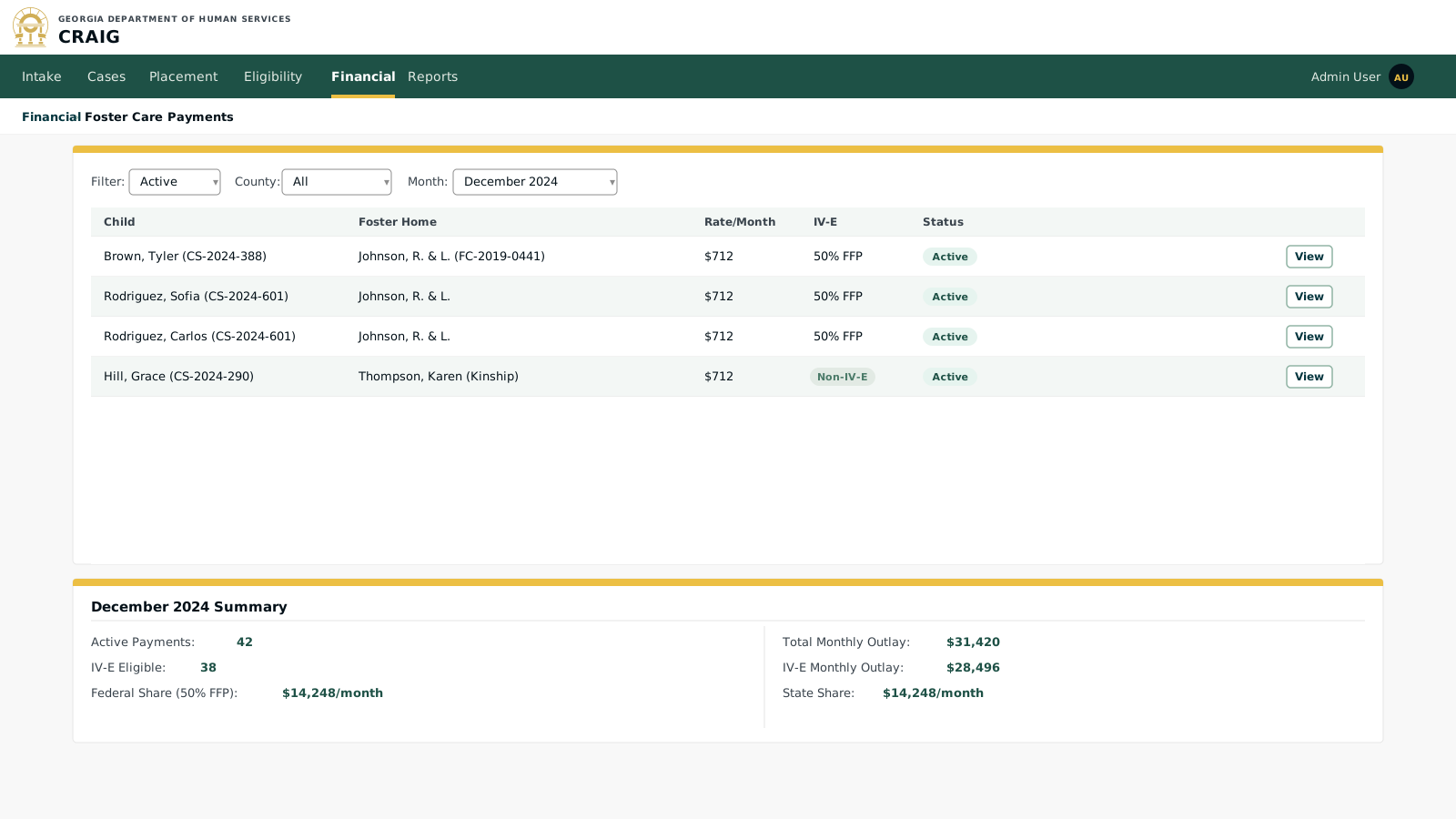
The payments list provides a monthly view of all active foster care maintenance payments. Workers can filter by county, payment status, and IV-E eligibility to support claiming and reconciliation work.
Key elements:
-
IV-E status column: clearly distinguishes IV-E eligible payments (50% federal reimbursement) from non-IV-E payments (100% state cost); drives the monthly federal financial participation (FFP) claiming total.
-
Monthly summary: the FFP summary at the bottom drives the financial reporting and claiming workflows; the federal share figure flows directly into the Title IV-E claiming report.
-
Payment status: Active (issued), Pending (scheduled but not yet issued), On Hold (eligibility issue or placement ended), or Closed.
-
Grouped foster home view: multiple children in the same foster home are grouped, making it easy to see the total payment to a single caregiver and verify accuracy.
Screen 2: Payment Detail
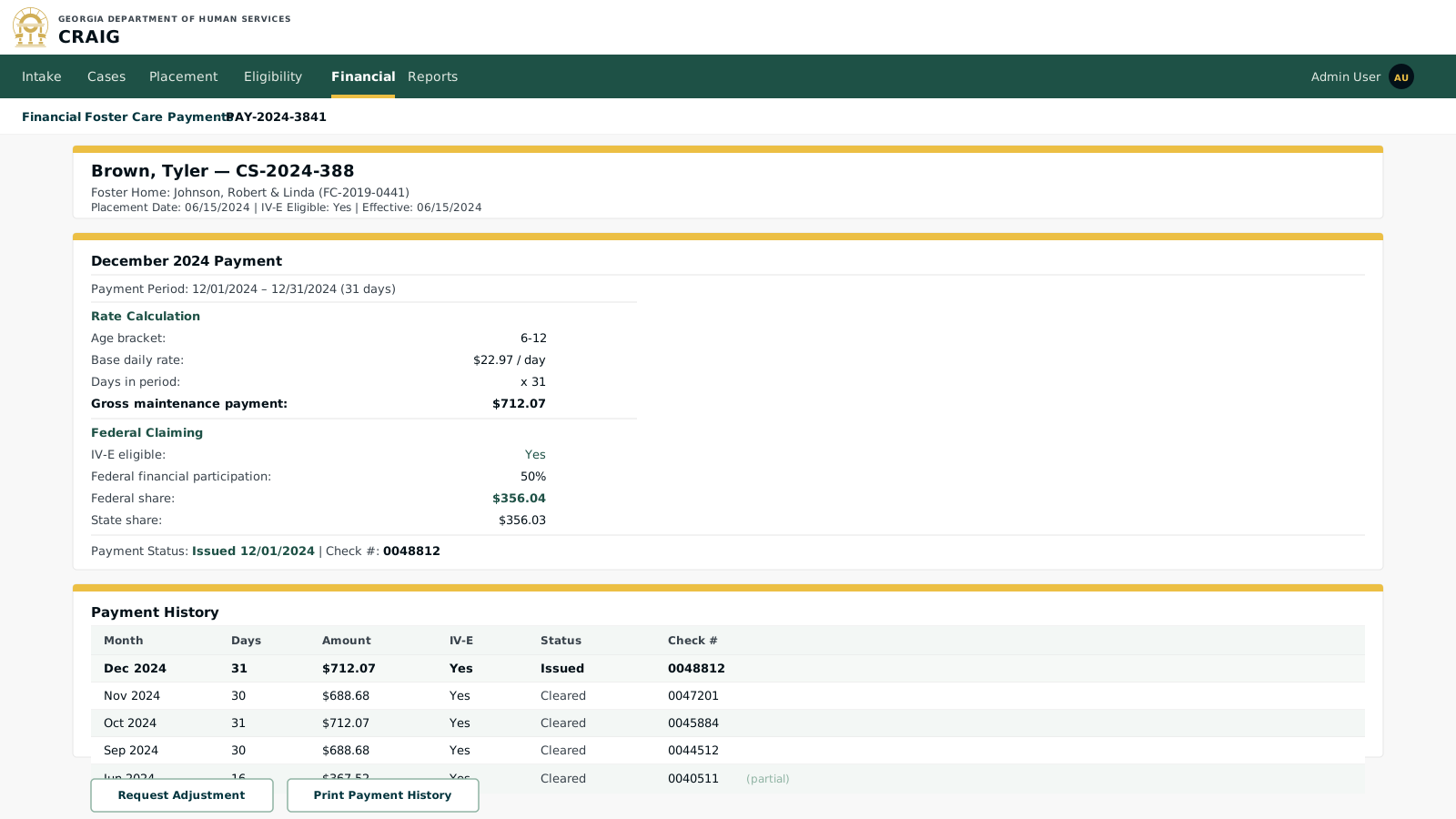
Each payment record shows the full rate calculation breakdown, IV-E claiming status, payment history, and any adjustments. This view is the source of truth for audit and reconciliation.
Key elements:
-
Rate calculation transparency: the daily rate, age bracket, and day count are displayed explicitly so workers and auditors can verify every payment without a separate rate table lookup.
-
Age bracket automation: when a child ages into a new bracket (e.g., turns 13), the rate automatically updates on the next payment cycle; no manual rate change is needed.
-
Partial month handling: the first month of a placement is prorated by days; the calculation is displayed explicitly (Jun 2024: 16 days).
-
Cleared vs. Issued: "Issued" means the payment has been sent; "Cleared" confirms the check has been cashed or the electronic funds transfer (EFT) settled; this distinction supports reconciliation with the state financial system.
-
Adjustment workflow: rate corrections or overpayment recovery are handled through a formal adjustment request rather than directly editing a posted payment, preserving the audit trail.
Screen 3: Title IV-E Claiming Report
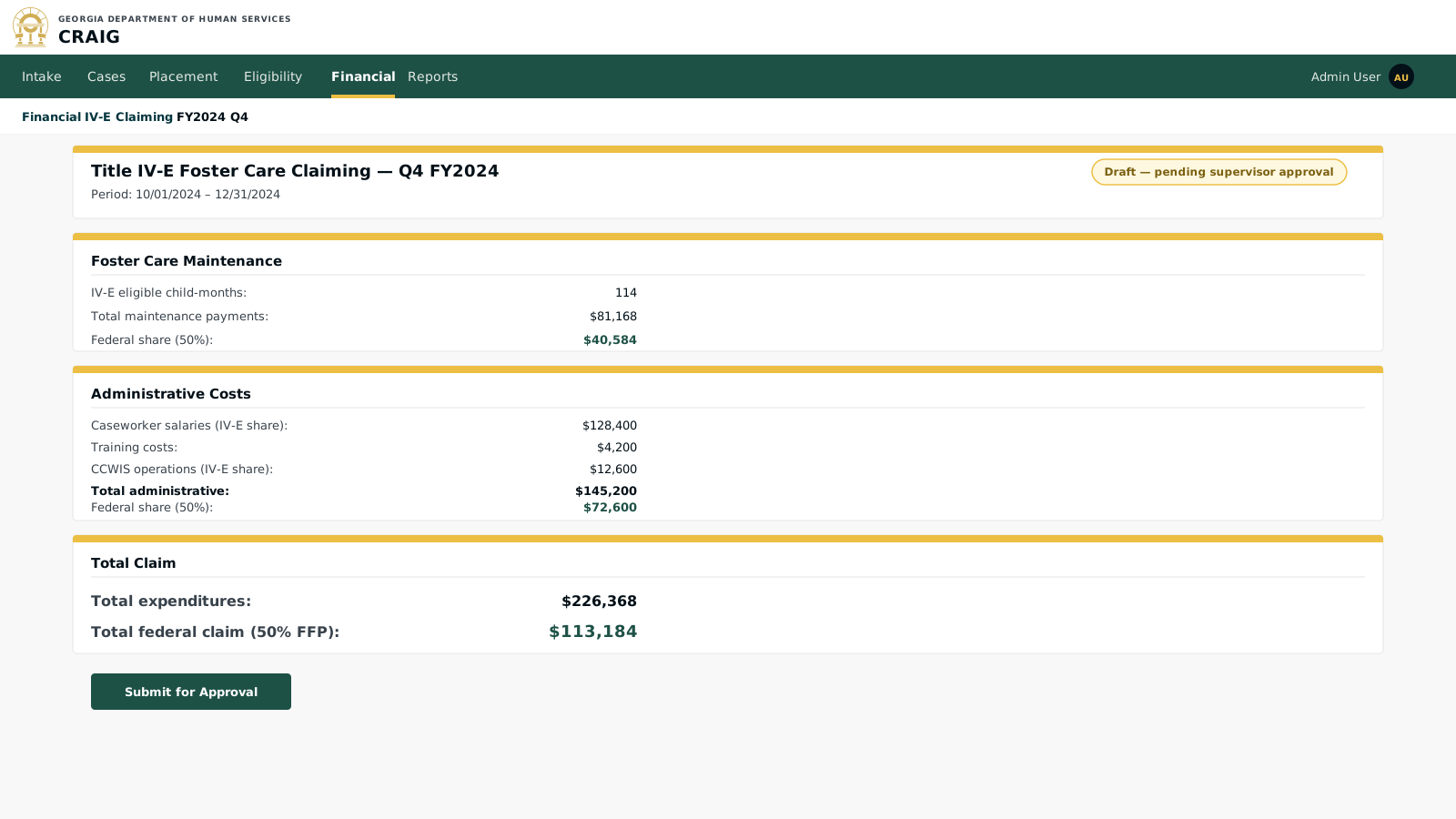
The claiming report aggregates IV-E eligible expenditures for submission to the Administration for Children and Families (ACF) for the 50% federal match.
Key elements:
-
Cost allocation: administrative costs are allocated between IV-E and non-IV-E programs based on the cost allocation methodology approved in the jurisdiction’s Advance Planning Document (APD, 45 CFR § 1355.57); CRAIG tracks this allocation automatically.
-
CCWIS operations cost: CRAIG’s own operating costs (as the jurisdiction’s Comprehensive Child Welfare Information System) are eligible for IV-E administrative claiming; the system tracks the IV-E share of system costs to include in the claim.
-
Approval workflow: claims route through supervisor approval before submission to ACF; the audit trail records who approved and when.